

Exploring the Top 7 Tripod Stand Uses for Sharper Photos and Smoother Videos

Introduction
When I first bought a tripod, I thought it was just a fancy three‑leg stool for my camera. Turns out, a tripod stand is a Swiss‑army knife for visual creators. Whether you’re shooting a sunrise timelapse, recording a vlog, or tracking wildlife in the wild, the right tripod can be the difference between a shaky mess and a professional masterpiece. In this article, I’ll walk you through the most common tripod stand uses and share practical tips to get the most out of each scenario.
1. Stable Shots for Photography
One of the classic uses of a tripod is to eliminate camera shake. Even at low ISO, a slight tremor can blur details. Here’s how I make the most of it:
- Long exposures: Set your camera on a sturdy tripod, use a remote shutter or the 2‑second timer, and let the sensor soak up the light without any hand movement.
- Low‑light environments: When the ambient light is dim, a tripod lets you keep the aperture small for depth of field while still getting a clean exposure.
- Macro photography: Tiny subjects demand precision. With adjustable tripod legs, you can position the camera exactly where you need it.
2. How to Use a Tripod Stand for Photography
Getting the best out of your tripod isn’t just about setting it down. Follow these steps:
- Extend the legs on a stable surface; avoid uneven ground.
- Lock the leg sections firmly—loose clamps are the enemy of sharpness.
- Attach the appropriate tripod science head (ball head, pan‑tilt, or fluid head) depending on your shooting style.
- Level the head using the built‑in bubble level or a smartphone app.
- Balance your camera and accessories (like a microphone or flash) so the center of gravity sits over the tripod’s center column.
3. Tripod Stand for Video Recording Stability
Video is unforgiving—any wobble translates directly to a jarring viewer experience. Here’s how I keep my footage buttery smooth:
- Fluid heads: These allow pan and tilt movements with resistance, perfect for panning shots.
- Weight distribution: Add a sandbag or a small counterweight to the center column to dampen vibrations.
- External microphones: Mount them on the tripod’s side arm to keep audio sync with the camera’s stable position.
4. Best Tripod Stand for Smartphone Filming
Smartphones have become serious video tools, but they’re light enough to tip over easily. My go‑to setup includes:
- A compact tripod with a quick‑release plate that fits the phone’s case.
- A Bluetooth remote or the phone’s timer to avoid touching the device during the shot.
- Optional accessories like a small LED light or a clip‑on microphone that attach directly to the tripod’s 1/4‑20 thread.
5. Using a Tripod Stand for Timelapse Shots
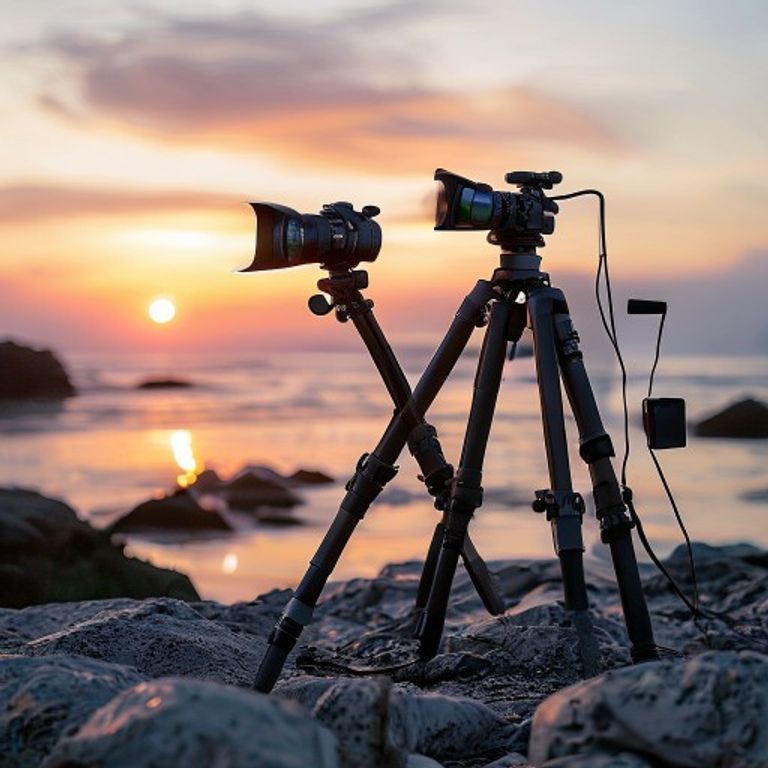
Timelapse photography is essentially a series of stills taken over time. Consistency is key, and a tripod guarantees that each frame lines up perfectly. Tips I swear by:
- Set the tripod on a solid surface; avoid windy spots.
- Use the intervalometer (built‑in or external) to control shot frequency.
- Lock the focus and exposure manually—auto‑settings will change from frame to frame and ruin the smoothness.
6. Tripod Stand Applications in Outdoor Wildlife Photography
Capturing wildlife often means long waits and unpredictable movement. A tripod helps in two major ways:
- Stealth: A low‑profile tripod reduces your silhouette, making animals less likely to notice you.
- Extended shooting sessions: With adjustable legs, you can set the tripod at eye level for birds or low to the ground for insects, then leave it untouched for hours.
7. Portable Photography Support Gear
When you’re on the move, weight matters. I look for tripods that combine:
- Carbon‑fiber construction for strength‑to‑weight ratio.
- Quick‑flip leg locks for rapid deployment.
- Compact folded length—ideally under 60 cm—to fit in a backpack.
Conclusion
From steady portraits to cinematic wildlife footage, the tripod stand uses are as diverse as the stories we want to tell. By understanding the specific needs of each shooting scenario—whether it’s a long exposure, a smooth video pan, or a precise timelapse—you can choose the right tripod head, leg configuration, and accessories to elevate your work. So next time you pack your gear, remember that a good tripod isn’t just a piece of equipment; it’s a creative partner that keeps your vision steady.
FAQ
Q: Do I need a different tripod for photography and video?
A: Not necessarily. A solid tripod with a versatile head (ball head for photography, fluid head for video) can cover both, but specialized heads make each task easier.
Q: How high should a tripod be for wildlife photography?
A: It depends on the subject. For birds, set the tripod at eye level or higher; for ground‑level creatures, lower the center column or use a mini‑tripod.
Q: Can I use a tripod with a smartphone without a mount?
A: Yes, but a dedicated phone mount or a universal quick‑release plate ensures stability and prevents the device from slipping.
Q: What is the best way to reduce wind‑induced shake?
A: Add weight to the tripod (like a sandbag), use a low‑profile leg spread, and consider a wind‑shield or rain cover.
Q: Are carbon‑fiber tripods worth the extra cost?
A: If you travel frequently or need maximum stability with minimal weight, carbon‑fiber is a smart investment; otherwise, aluminum models work fine for most indoor shoots.